

Set the goal. An agent team finishes it.
Niuniu is a local-first AI work platform: write the work as issues, and many agents plan, execute, and verify in parallel on Claude Code / Codex / any model — from writing code to building spreadsheets, querying data, and drafting docs. It only comes back when truly blocked.
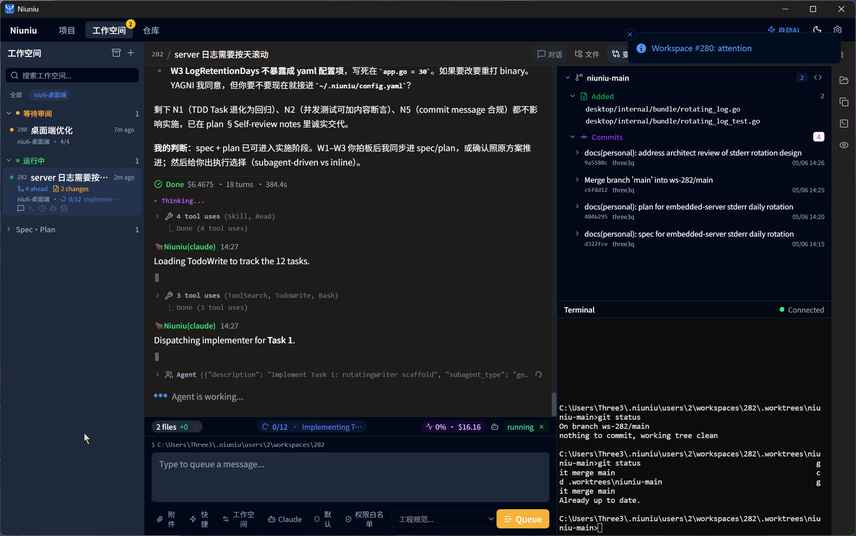
Live demo
Many agents, running in parallel
Turn single-session Claude Code's “one chat you drive” into many workspaces driving many agents at once — each picking its own flow from your kanban stages, looping autonomously.
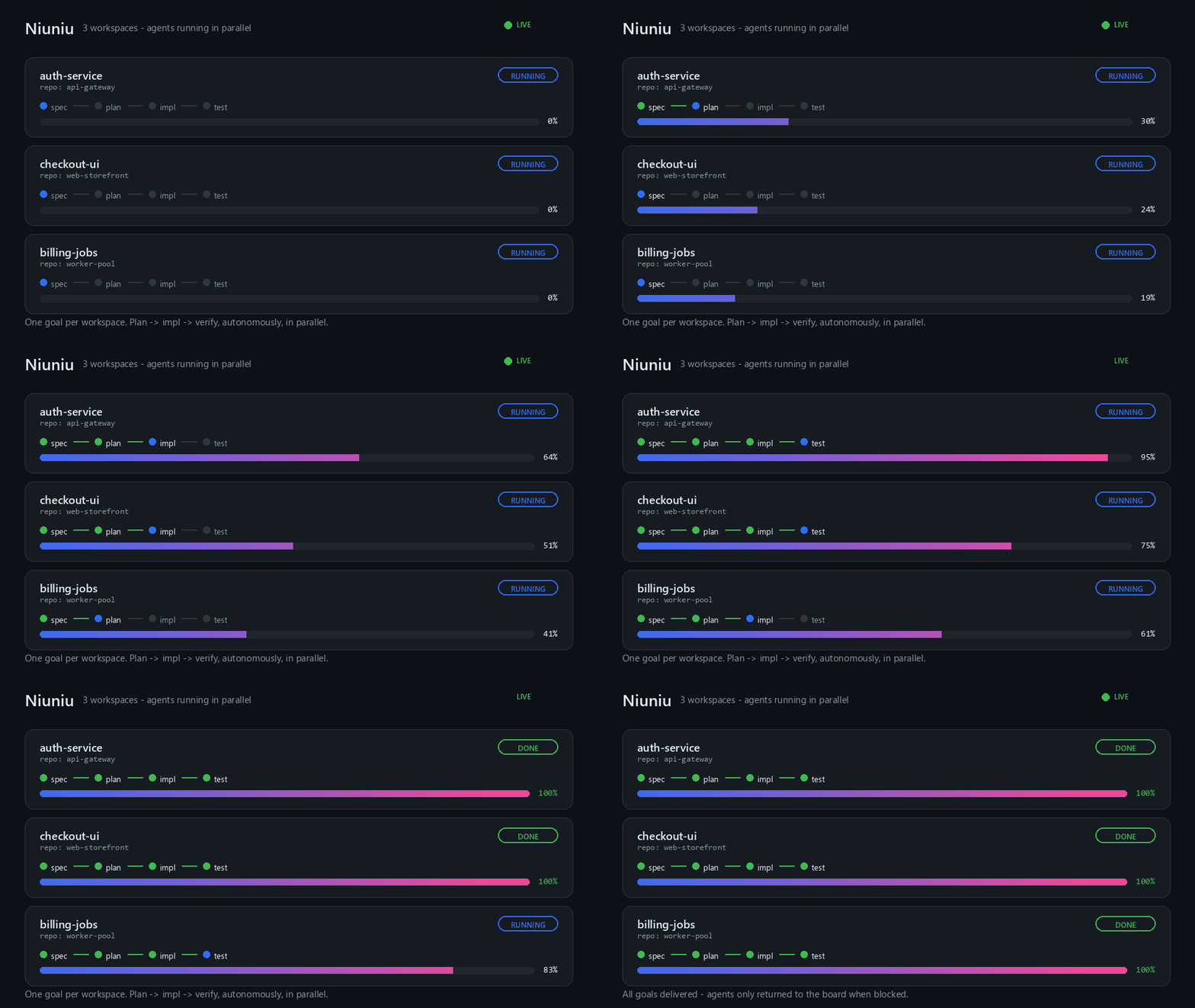
Core capability
Goal in. Done out.
You define the goal; the agent owns plan → execute → verify on its own, and only comes back to you when it actually needs you.
- 1
Write the goal
File the work as an issue — one sentence is enough; no need to spell out the code.
- 2
Agent plans
Inside the workspace, the agent reads context, breaks the work down, and proposes a plan.
- 3
Parallel execution
Many workspaces pursue their own goals in parallel; each agent works directly in its own git worktree.
- 4
Self-verification
After changes, the agent runs tests, reads the diff, self-reviews, and iterates on failures.
- 5
Only when blocked
You only get pinged for real blockers — missing credentials, decisions, risky actions. Otherwise it ships quietly.
Pick your deployment
Two flavors — from solo desktop to enterprise self-host.
Personal
Local-first · 3 platforms · Zero deps
- ✓ Native desktop app · macOS / Windows / Linux
- ✓ git worktree isolation
- ✓ SQLite backend
Self-Hosted Team
Docker · On-prem · Unlimited
- ✓ One-command docker compose
- ✓ Multi-tenant · MFA · PostgreSQL
- ✓ Private data · customizable audit
One platform across software · office · data · content
Goal-driven, autohosted loop
Write the goal; the agent plans, executes, verifies, and wraps up on its own — an unattended autohost watchdog keeps it going and only pings you when blocked.
Parallel workspaces, worktree-isolated
Each workspace gets its own git worktree + isolated agent session, running in parallel across projects and repos without collisions.
Any agent, any model — no lock-in
Drive Claude Code / Codex / Qwen Code, and point them at GLM / DeepSeek / MiniMax / Kimi or any compatible endpoint via scene env presets.
Kanban + Harness engineering gates
Track issues / checklists / comments / timeline; Harness wires lint / tests / AI review into a pre-commit gate.
Scenes: one-click work modes
18 built-in scenes spanning software / office / data / content, declaratively projecting MCP + plugins + quick actions — auto-recommended, layerable, forkable.
Data intelligence: query + live dashboards
Connect SQL / Redis / Mongo / ES / HTTP, run governed read queries, and pin inline charts as continuously refreshing dashboards.
Knowledge base + project memory
Ingest local directories into a searchable knowledge base; a white-box project memory captures patterns, decisions, and gotchas — searchable, mergeable, restorable.
IM bots: Lark / DingTalk / Telegram
Drive work conversationally from group chat — inbound text & images, markdown out, one bot routed across multiple projects.
Unattended runs & schedule management
Give a workspace a cron schedule to auto-trigger the agent; the autohost watchdog keeps it moving unattended, with run history you can review.
Native desktop & mobile
A Tauri v2 native desktop app with ready-made Windows / macOS / Linux installers, plus a React Native mobile client and the browser UI — one workstation, everywhere.
Team edition · collaboration
Multi-tenant org isolation, org-owned data sources, PostgreSQL and MFA two-factor auth — team-grade security on a private deployment.
Smart updates
In-app update checks with a plain-language changelist, GitHub-first with automatic fallback to a China-friendly mirror — always know what each upgrade brings.
Why Niuniu
Niuniu vs Claude Desktop vs OpenAI Codex
All three run agents in parallel and support MCP. The difference: Niuniu isn't locked to one vendor, spans software through office / data / content, and can run entirely on your own machine or network.
| 🐮 Niuniu Desktop | Claude Desktop | OpenAI Codex Desktop | |
|---|---|---|---|
| Model / engine | Drives Claude Code / Codex / Qwen + any compatible endpoint (GLM / DeepSeek / Kimi), switchable per workspace — no vendor lock-in | Claude models only | OpenAI models only |
| Work types | Software + office + data + content, 18 built-in scenes one click away | General assistant + coding (Chat / Cowork / Code) | Focused on agentic coding |
| How work is organized | Kanban, issue-driven: columns / checklists / comments / timeline / execution plans | Chats / projects | Tasks / sessions |
| Parallel execution | Many workspaces, each its own worktree, scheduled across projects from one board | Cowork can run parallel subagents (within a local folder) | Built-in worktrees, multiple agents in parallel / cloud |
| Workflow & gates | Harness engineering gates (pre-commit / AI-review) + kanban stages + unattended autohost watchdog | Cowork multi-step runs | Automations |
| Data intelligence | Connect SQL / Redis / Mongo / ES / HTTP, governed queries + pinned live dashboards | Bring your own via MCP | No built-in data platform |
| IM collaboration | Lark / DingTalk / Telegram two-way conversational, routed across projects | None | None |
| Knowledge & memory | Knowledge-base ingestion + white-box searchable project memory | Memory / projects | Limited |
| Deployment & data sovereignty | Local-first (SQLite); self-hosted team edition on docker + PG, multi-tenant / audit, data can stay on-prem | Cloud account (Cowork accesses a local folder) | Cloud account + local |
| Platforms | macOS / Windows / Linux | macOS / Windows | macOS / Windows |
| MCP support | Yes — and exposes its own context to agents as tools | Yes — most mature ecosystem | Yes (plugins) |
Compiled from publicly available 2026 product information; competitor capabilities evolve — for reference only.
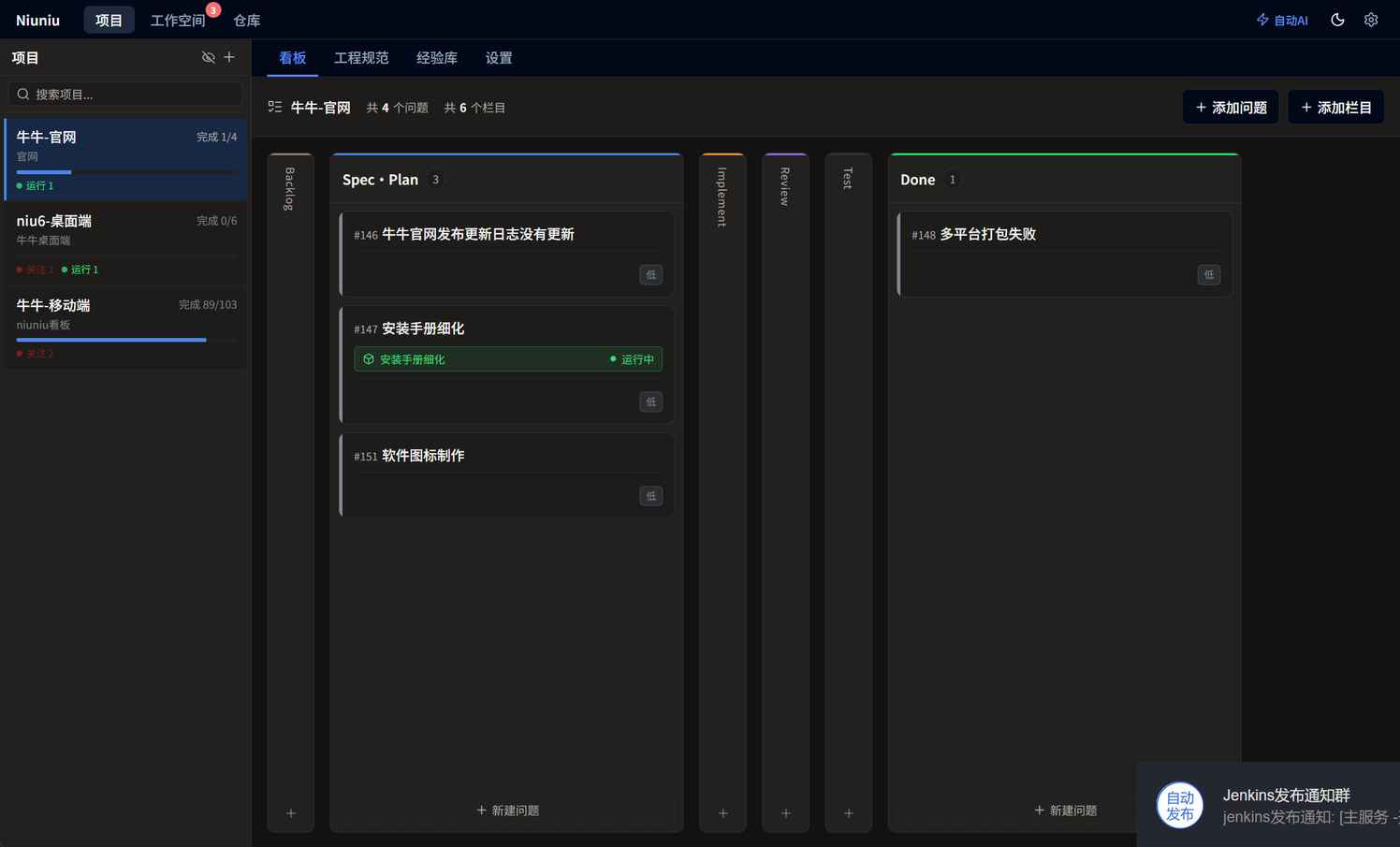
One workstation. Many parallel AI Agent sessions.
Community & traction
Developers are shipping in parallel with Niuniu
Free to use, local-first, actively iterating — follow releases and feedback on GitHub.



- Free
- Desktop edition, free to use
- 3
- Platforms · macOS / Windows / Linux
- 100%
- Local-first · data stays on your machine by default
- ∞
- Unlimited workspaces
Single-session Claude Code only let me watch one task at a time. With three workspaces running at once I ship roughly twice as much before end of day.
One git worktree per workspace means agents never step on each other — parallel refactors no longer risk breaking someone else's branch.
The self-hosted team edition runs on our own machines, so code never leaves the network. Our compliance team finally signed off.
Ready to get started?
Download the desktop edition, or explore Self-Hosted Team.